



With Kamatera’s OpenClaw hosting, you keep your data private and stay in full control.
OpenClaw (formerly Moltbot/Clawdbot) is an AI agent framework that turns your messaging apps into a command center. But running a proactive, 24/7 agent on a local machine is a recipe for downtime and security leaks.
To get the most out of an OpenClaw server, you need infrastructure that matches its power. Kamatera offers the raw performance, sub-second latency, and developer-centric control required to run an always-on self-hosted OpenClaw instance.
Getting started with OpenClaw is straightforward. Once you understand the documentation and architecture, you’ve got the most powerful tool of 2026 directly in your hands.

Why choose Kamatera for OpenClaw hosting?
 Start with 2GB RAM for a personal assistant. As you build more custom Skills or integrate local LLMs via Ollama, scale your vCPU and RAM instantly via the console and pay only for what you actually use.
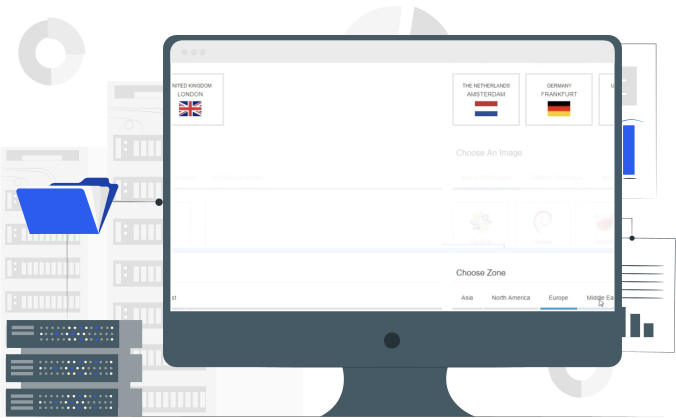
- Location matters when you’re running real-time AI interactions. Deploy your OpenClaw VPS closer to your users with 20+ data centers spanning North America, Europe, Asia, and the Middle East.
- Hourly billing with no surprise charges. Know exactly what your OpenClaw cloud hosting costs before you deploy. Start at $6/month for development environments, scale to production without huge cloud bills.
- Install whatever dependencies your OpenClaw server needs without asking permission. From full SSH access and custom kernel modules to your own firewall rules, this is your infrastructure to configure exactly how you want.
Optimized configurations for each agent
| Use case | Recommended specs | Best for |
|---|---|---|
| Personal assistant | 1 vCPU, 2GB RAM, 20GB NVMe SSD | Managing calendars, emails, and basic web browsing via API (Claude/GPT-4). |
| Developer | 2 vCPU, 4GB RAM, 50GB NVMe SSD | Code reviews, GitHub monitoring, and running multiple Docker containers. |
| Local intelligence | 4+ vCPU, 8GB+ RAM, 100GB NVMe SSD | Running local inference (Ollama/Llama 3) for 100% private data processing. |
| Enterprise gateway | 8+ vCPU, 16GB+ RAM, 200GB NVMe SSD | Orchestrating multiple agent swarms, heavy database logging, and high-traffic production webhooks. |
Price Calculator
Data Centers Around the Globe

Frequently asked questions
OpenClaw is an open-source, agentic AI framework designed to act as a proactive bridge between Large Language Models (LLMs) and your daily digital tools. Unlike standard chatbots that only respond to text, OpenClaw functions as an autonomous assistant capable of executing shell commands, managing files, and interacting with third-party APIs through a system of extensible “Skills.”
OpenClaw uses LLMs (like GPT-4, Claude, or Llama 3) as its brain to process logic and intent, while the framework itself provides the “body” and “tools.” An LLM on its own cannot access your local files or send a message on Slack; OpenClaw provides the infrastructure and permissions to turn those model-generated thoughts into real-world actions.
Start with our recommended configuration: 4 vCPU and 8GB RAM for production workloads handling moderate traffic. Development and testing work fine on 2 vCPU and 4GB RAM. You can always scale up instantly if you need more resources.
Because the OpenClaw framework has “hands” on your system (terminal, browser, and files), it can execute multi-step workflows autonomously while you stay in your favorite messaging apps.
Here is a breakdown of what you can actually do with a self-hosted OpenClaw instance:
Development and testing
Spin up isolated OpenClaw instances for feature testing, CI/CD pipelines, or experimenting with new models. Destroy and recreate environments in seconds without impacting production.
Device management
Through its “Nodes” and “Skills” architecture, OpenClaw can connect it to Home Assistant or Philips Hue to control your lights or check if the garage door is closed via a simple text message.
Mobile integration
With an Android or iOS node, the agent can “wake” your phone, open specific apps, and even perform taps and swipes remotely (e.g., “Open Google Maps and tell me how long the commute looks”).
Production workloads
Run customer-facing OpenClaw servers with enterprise SLAs. 99.95% uptime guarantee backed by redundant infrastructure. Your AI agents stay online when users need them.
Media and content pipelines
Use “MoltBot” (a specialized OpenClaw agent) to turn a long blog post into a Twitter thread or extract action items from a voice note recording.
AI generation
It can interface with tools like Midjourney to generate assets and then automatically upload them to your CMS or social media dashboard.
Yes, though we recommend separate VPS instances for production workloads to ensure isolation and independent scaling. Development environments can run multiple instances on a single server.
Absolutely. You have full root access and complete control over your OpenClaw installation. Bring your own config files, custom models, modified source code, or forked versions. This is your server—configure it however you need.
Only you have access to your server. We don’t access your VPS without explicit permission, even for support. Our staff can see infrastructure metrics (CPU, RAM, network usage) but cannot access your files, configurations, or OpenClaw data.
Basic infrastructure monitoring (CPU, RAM, disk, network) is included in your dashboard and can be accessed on our cloud console. For application-level monitoring of OpenClaw itself, integrate your preferred tools like Prometheus or Grafana.
Our system accepts credit/debit cards issued by your local bank branch with a cardholder’s name. We also accept payments through PayPal. We do not accept virtual, prepaid, or electronic cards.
You can use the Kamatera pricing calculator to select the exact server specifications you need and find out how much you can expect to spend.
We accept two methods of payment:
Credit card: We accept all major credit and debit cards, provided they include the cardholder’s name. This includes virtual, prepaid, and electronic cards.
Deposit: We accept a prepaid payment in the form of a deposit, which can be made by credit card or PayPal.
Our 30-day free trial includes one server worth up to $100. You can set up your free VPS server, install an operating system, and select a location from one of our 20+ data centers worldwide.
If you choose monthly billing, you will receive your first invoice the month after the free trial expires. For example, if you start your free trial on November 20, the free trial will be until December 20. If you choose to continue using our services and don’t terminate your server, your first invoice will be sent out after January 1. That invoice will include a prorated charge for December 20-31, as well as the month of January.