



Hermes Agent needs a server that’s always on, not a laptop that sleeps. Deploy it on Kamatera in one click and get dedicated resources for web browsing, code execution, and multi-agent workflows.
Every plan comes with dedicated NVMe SSD storage, a public API, and access to data centers worldwide, so your agent stays close to wherever it needs to run.

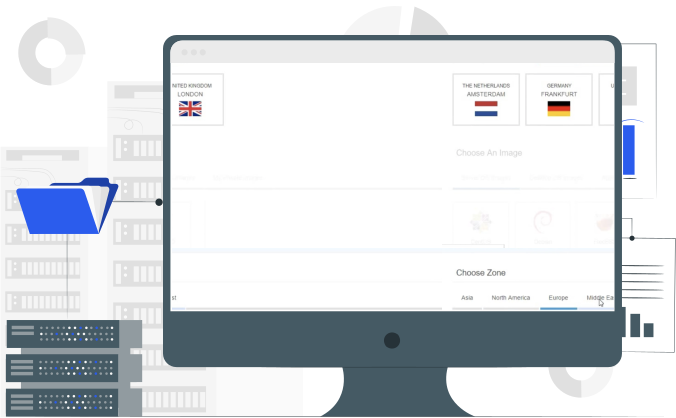
Scale your plan as your agent’s memory and workload grow. Your data and configuration carry over automatically, so you’re not rebuilding anything.
 Kamatera backs every plan with a 99.95% uptime guarantee, so your agent’s memory, scheduled tasks, and messaging connections stay available.
- Deploy close to your team or your users with 20+ data centers worldwide, reducing latency for messaging and gateway workflows.
- Every plan includes a built-in firewall to help protect your Hermes Agent deployment and the data it handles.
- Enable cloud monitoring for CPU, RAM, and disk usage, plus custom checks, with alerts sent by email or SMS so you know if your agent needs attention.
 Kamatera backs every plan with a 99.95% uptime guarantee, so your agent’s memory, scheduled tasks, and messaging connections stay available.
Price Calculator
Key features of Hermes Agent

Multi-platform messaging
Connect to Telegram, Discord, Slack, WhatsApp, Signal, and email at once, without managing separate bots for each platform.
Persistent memory and skill learning
Hermes Agent builds a persistent memory and creates new skills from every interaction, refining them as it runs instead of starting from zero each session.
Scheduled tasks
A built-in cron scheduler automates recurring tasks, with support for running parallel workstreams through subagents.
Flexible LLM provider routing
Route requests through OpenRouter for 200+ models, or connect directly to Anthropic, OpenAI, and custom endpoints.

Your credentials, your infrastructure
API keys and secrets live on your own VPS, not on a third-party server.

Approval modes for risky commands
Keep approvals turned on for anything destructive, so the agent checks before taking irreversible actions.

Audit learned skills
Review what your Hermes agent learns to make sure those skills still match how you want it to operate.
Data Centers Around the Globe

Frequently asked questions
Hermes Agent is a self-improving AI agent built by Nous Research. It creates skills from its interactions and refines them as it runs, building a persistent memory that carries over between sessions instead of starting fresh each time.
Choose a plan, deploy the Hermes Agent template, and your instance is provisioned automatically with the agent ready to configure. You won’t need to manually install dependencies or set up the environment yourself. The agent runs entirely on your own VPS, so it’s self-hosted from the start rather than relying on a shared or third-party instance.
Hermes Agent connects to Telegram, Discord, Slack, WhatsApp, Signal, and email at the same time, without needing separate bots for each one.
Hermes Agent hosting fits a few different needs. Developers use it to run automated dev workflows around the clock, without depending on a laptop staying online. Support teams use it for multi-channel coverage, since the agent connects to Telegram, Discord, Slack, WhatsApp, Signal, and email at once with a single shared memory. And founders use it to avoid vendor lock-in, since you can route requests through OpenRouter or connect directly to Anthropic, OpenAI, or a custom endpoint, rather than being tied to one LLM provider.
One-click deployment handles the installation, so you don’t need to manually set up Docker or configure the environment from scratch. That said, configuring model providers, messaging platform connections, and API keys still requires some comfort with server basics.
Hermes Agent is model-agnostic, so you’re not locked into a single provider. Route requests through OpenRouter for access to a wide range of models, or connect directly to Anthropic, OpenAI, or a custom endpoint. You can also switch providers later without losing your agent’s memory or configuration, since the model connection is separate from what the agent has learned.
Yes. You can connect Hermes Agent to your own OpenRouter, Anthropic, OpenAI, or custom endpoint credentials rather than using a shared or hosted key.
They stay on your own VPS rather than on a third-party server, since you’re self-hosting the agent rather than using a hosted version.
No. SSL isn’t included as part of the one-click deployment. You’ll need to set it up yourself, for example with Let’s Encrypt and Certbot. Kamatera’s guide walks through the process: How to Install and Renew SSL Certificates in Linux.
Our 30-day free trial includes one server worth up to $100. You can set up your free VPS server, install an operating system, and select a location from one of our 20+ data centers worldwide.
If you choose monthly billing, you will receive your first invoice the month after the free trial expires. For example, if you start your free trial on November 20, the free trial will be until December 20. If you choose to continue using our services and don’t terminate your server, your first invoice will be sent out after January 1. That invoice will include a prorated charge for December 20-31, as well as the month of January.
We accept two methods of payment:
Credit card: We accept all major credit and debit cards, provided they include the cardholder’s name. This includes virtual, prepaid, and electronic cards.
Deposit: We accept a prepaid payment in the form of a deposit, which can be made by credit card or PayPal.
You can use the Kamatera pricing calculator to select the exact server specifications you need and find out how much you can expect to spend.